
Email with a copilot
Reads the failure notice.
It can extract the amount, summarise the email and draft a reply. A person or another integration still has to find the current account state and decide what to do.
Why now
Text, OCR, extraction and summaries are widely available. Business operations need more: knowing that something happened, what changed, which customer or process it concerns, what is true now and what may happen next.
One simple example
Email with a copilot
It can extract the amount, summarise the email and draft a reply. A person or another integration still has to find the current account state and decide what to do.
DataInbox
It links the customer, invoice, contract, retry history and current status; evaluates the recovery rules; permits the next action; and records the new outcome as evidence.
One customer, every channel
A DataInbox can bring permitted data and references from CRM, ERP, product systems and previous interactions into the current situation. Whether someone arrives through chat, email, voice, an app or an internal service desk, the relevant context is already there.
Identity, relationship, preferences, consent, and interaction history.
Orders, invoices, fulfilment, service status, and operational state.
Products, availability, entitlements, contracts, and current conditions.
Web, email, chat, voice, app, service desk, system, or agent.
The operating model
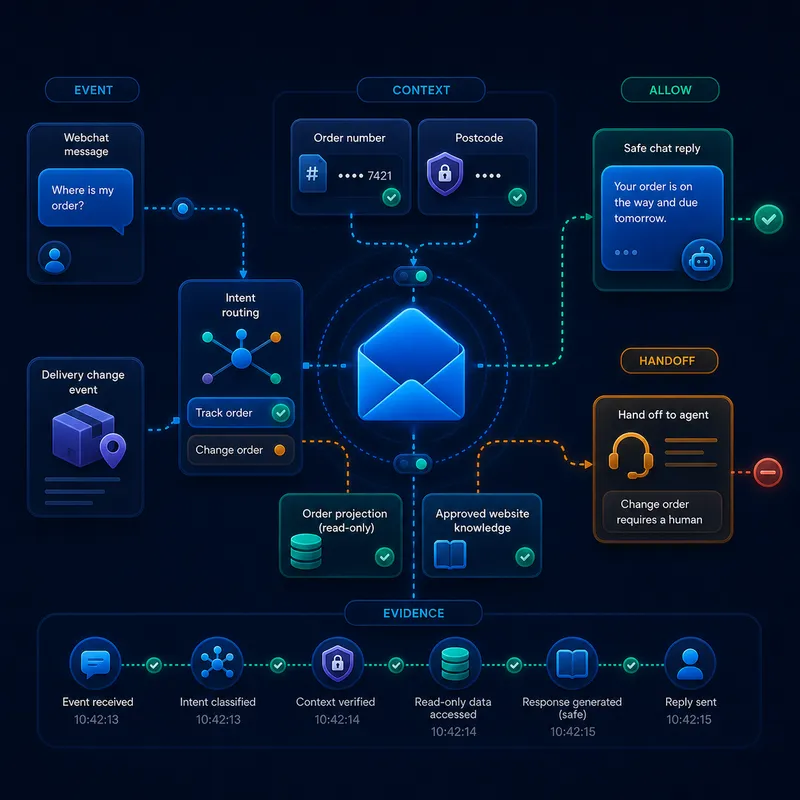
Use one AI for customer questions and another for checking orders. Each works with the current information for its task. DataInbox checks your company rules before an action is allowed, such as changing an order.
Something relevant happens in a person, system, database, device, document, or agent.
The Inbox resolves current data, state, history, domain meaning, and knowledge.
Schemas, rules, permissions, limits, and approvals determine what may happen.
A person, system, agent, or Companion performs only the permitted operation.
The decision, action, state change, and outcome return as new traceable events.
Keep the choice of AI in your own hands. Changing AI provider? Your company rules stay in DataInbox. You can see which action was taken, why it was allowed and what the result was.
A second real implementation
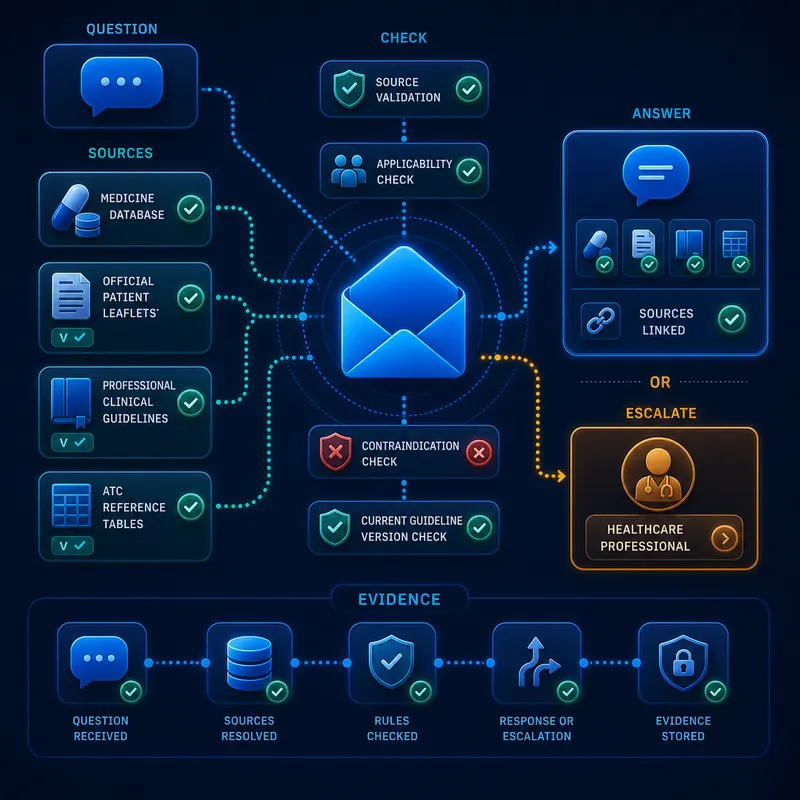
The current BenzoMoe DataInbox is not a loose collection of documents. Its implemented source library accepts structured and unstructured material and classifies it as medicines, guidelines, ATC references, recommendations, contraindications, escalations, tapering knowledge and quality exceptions.
What is implemented, and what comes next
The source and knowledge layer shown here is implemented. The visitor answer, applicability checks and professional escalation depict the governed interaction this layer is being prepared to support. That distinction remains visible so the visual is evidence-led, not a generic product promise.
A different operating layer
Copilots read, summarise, and draft. DataInbox connects an event to live state and governs the action that follows.
DataInbox governs messages and decisions while specialist workflow tools can keep orchestrating complex chains.
Independent Inboxes exchange only the messages and references their policies permit.
Connectors move messages. The receiving Inbox determines whether they are usable and what may follow.
Federated by design
A customer, order, payment, policy, or agent operation can remain in its own policy boundary. Inboxes share only the messages and references required for the current outcome.
Explore the architecture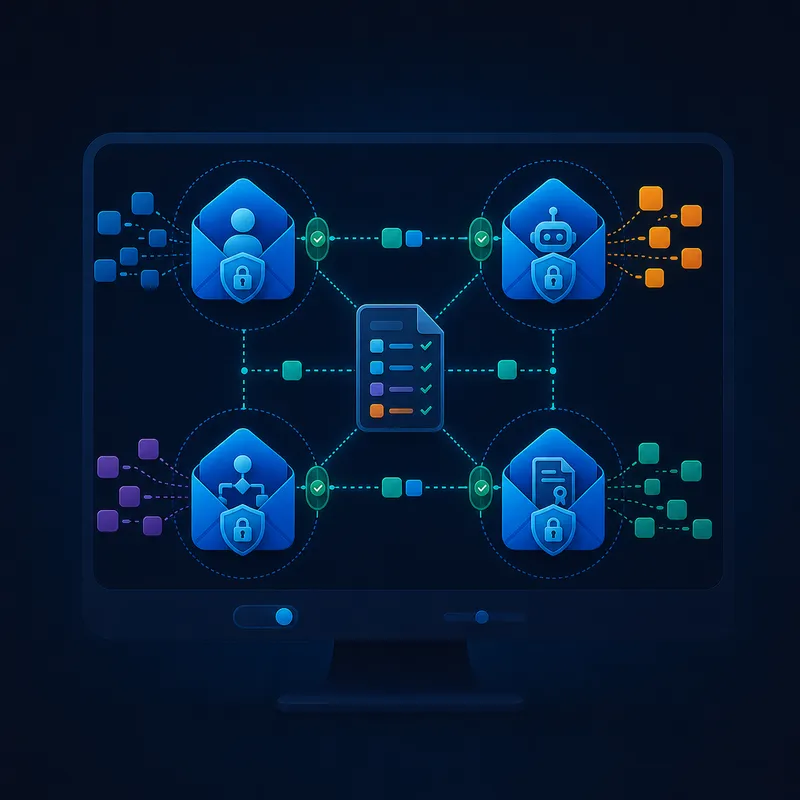
Start concrete
Bring the event, the data and context that matter, and the action or outcome you need. We will map the Inbox, rules, agents, systems, and evidence around it.
Box your first operation